Medley Maker
Combine several songs into one medley.
Choose your songs, decide which section of each song to use and let OBS suggest the transitions. Preview the medley and turn it into one continuous track.
What can you use it for?
- A continuous set for parties and performances.
- A medley of your favourite songs.
- Combine short sections for an opening or finale.
- Practise smooth transitions between songs.
How does it work?
- 1
Add songs
Choose songs from My music and the section you want to use.
- 2
Choose tempo and key
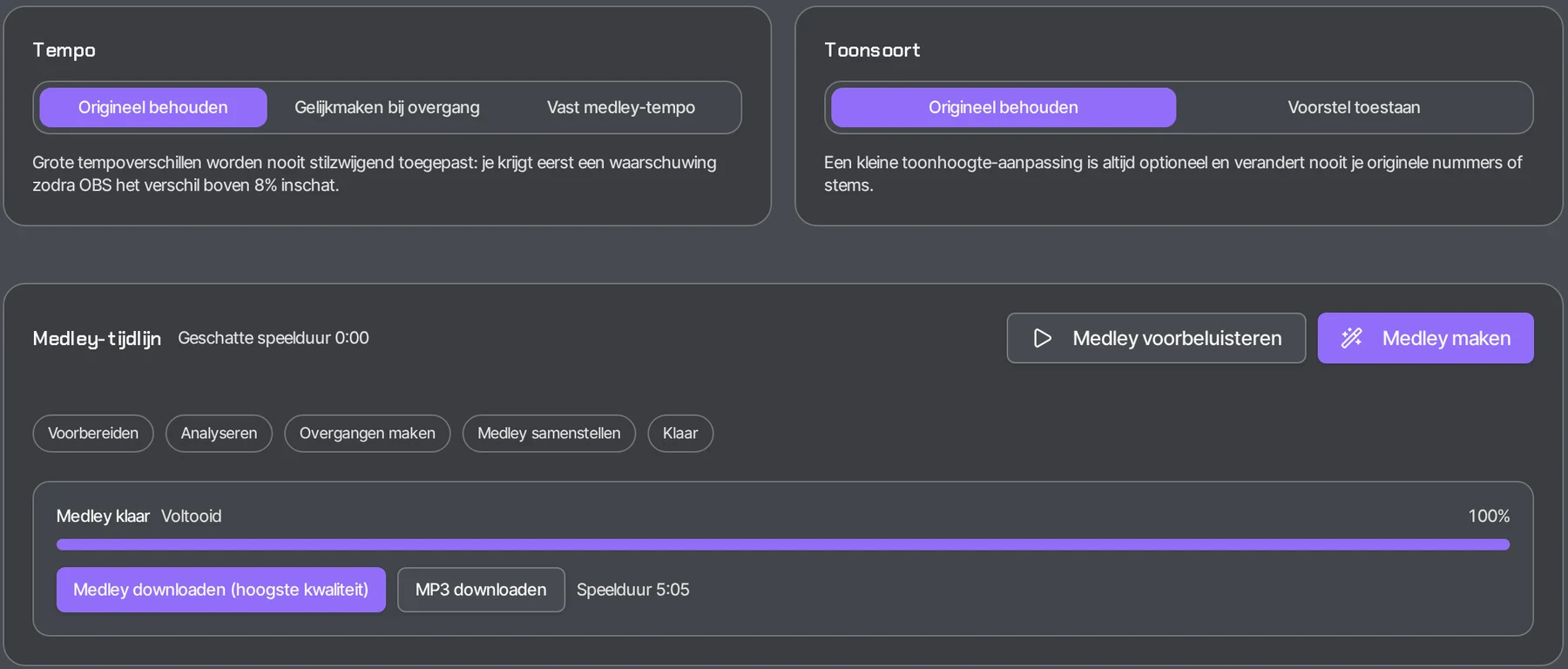
Keep the original, match at the transition or use a fixed medley tempo.
- 3
Preview
Hear the transitions before you create the medley.
- 4
Create the medley
OBS assembles the medley into a single file.
How people use it
Party or wedding
You line up a continuous set so the music keeps going without breaks.
Performance or show
You create an opening or finale with short sections of several songs.
Medley of favourites
You combine your favourite songs into one medley with smooth transitions.
Practice
You hear the transitions in advance and practise moving smoothly from one song to the next.
Frequently asked questions
How do I make a medley of several songs?
Choose songs from My music and the section of each song you want to use. OBS suggests the transitions; you preview the medley and have it turned into a single file.
Can I match tempo and key?
Yes. For each medley you choose: keep the original, match at the transition, or one fixed medley tempo.
Do my original songs change?
No. Your original songs and stems always stay unchanged.
Can I merge songs into one file?
Yes. The Medley Maker puts the chosen sections in sequence and creates one continuous file.
The result
One continuous medley with smooth transitions. Your original songs and stems always stay unchanged. The Medley Maker is available with OBS Pro. Downloads are included with OBS Plus and OBS Pro.
Open the Medley Maker