Karaoke & Lyrics
Make your own karaoke with synced lyrics.
Make karaoke from your own repertoire: OBS prepares the lyrics of your song with timing. In the Karaoke Editor you decide the text, the timing of each line, the layout and the aspect ratio — and you instantly see the karaoke follow the music.
What can you use it for?
- Create your own karaoke version of your repertoire.
- Sing-along lyrics for performances, parties and rehearsals.
- Lyric videos in 16:9, 9:16 or 1:1 for a screen or phone.
- Singing lessons with lyrics that follow the music precisely.
How does it work?
- 1
Choose a song
Open a separated song from My music in the Karaoke Editor.
- 2
Check the lyrics
Edit lines and correct words where needed.
- 3
Set timing and style
Choose timing, layout, position, font and lead-ins.
- 4
Preview and export
See the synced lyrics live and export your karaoke.
Lyrics and timing under your control
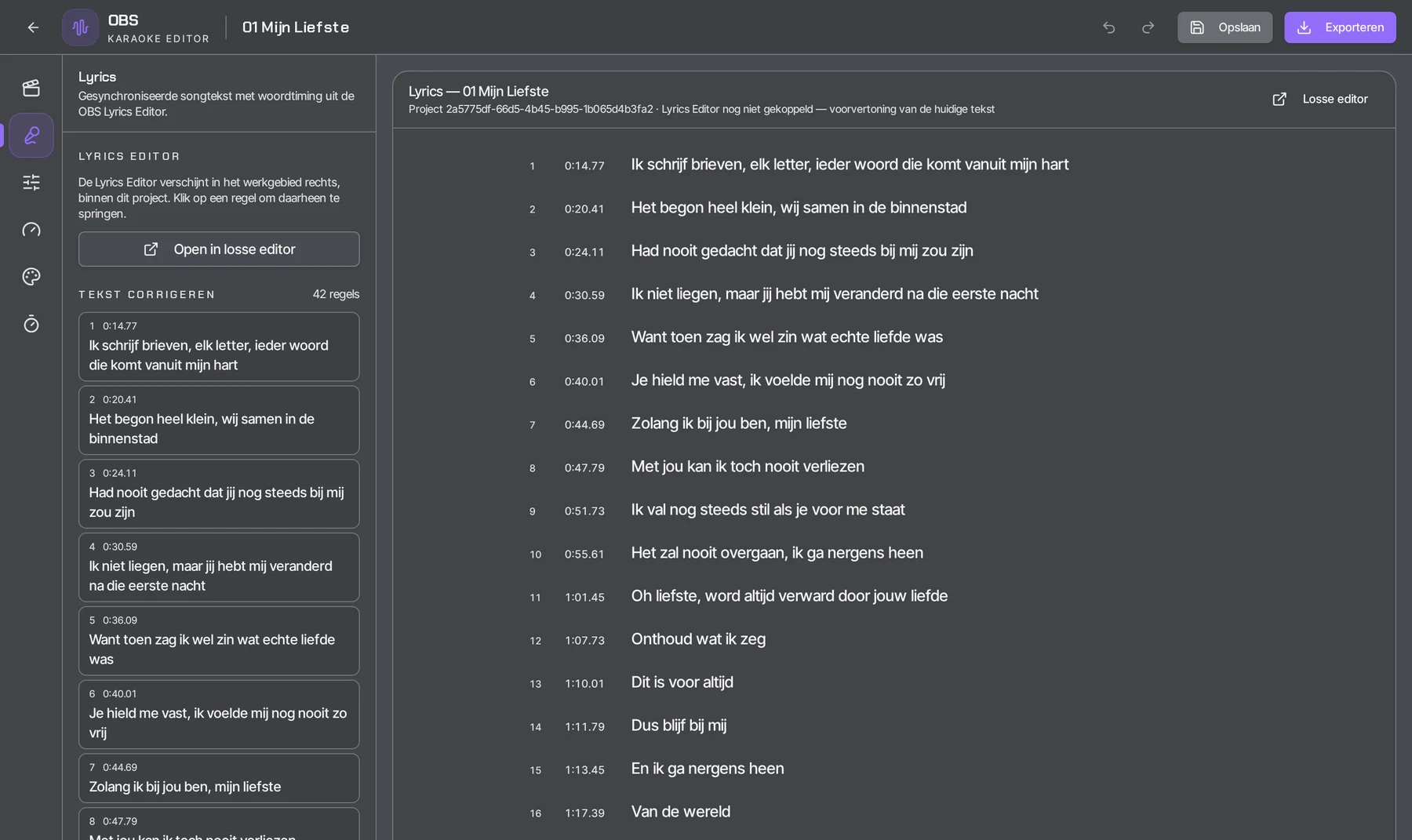
Every line is listed with its start time. Click a line to jump straight to it, correct the text and check the timing — you decide what appears on screen.
The display you want
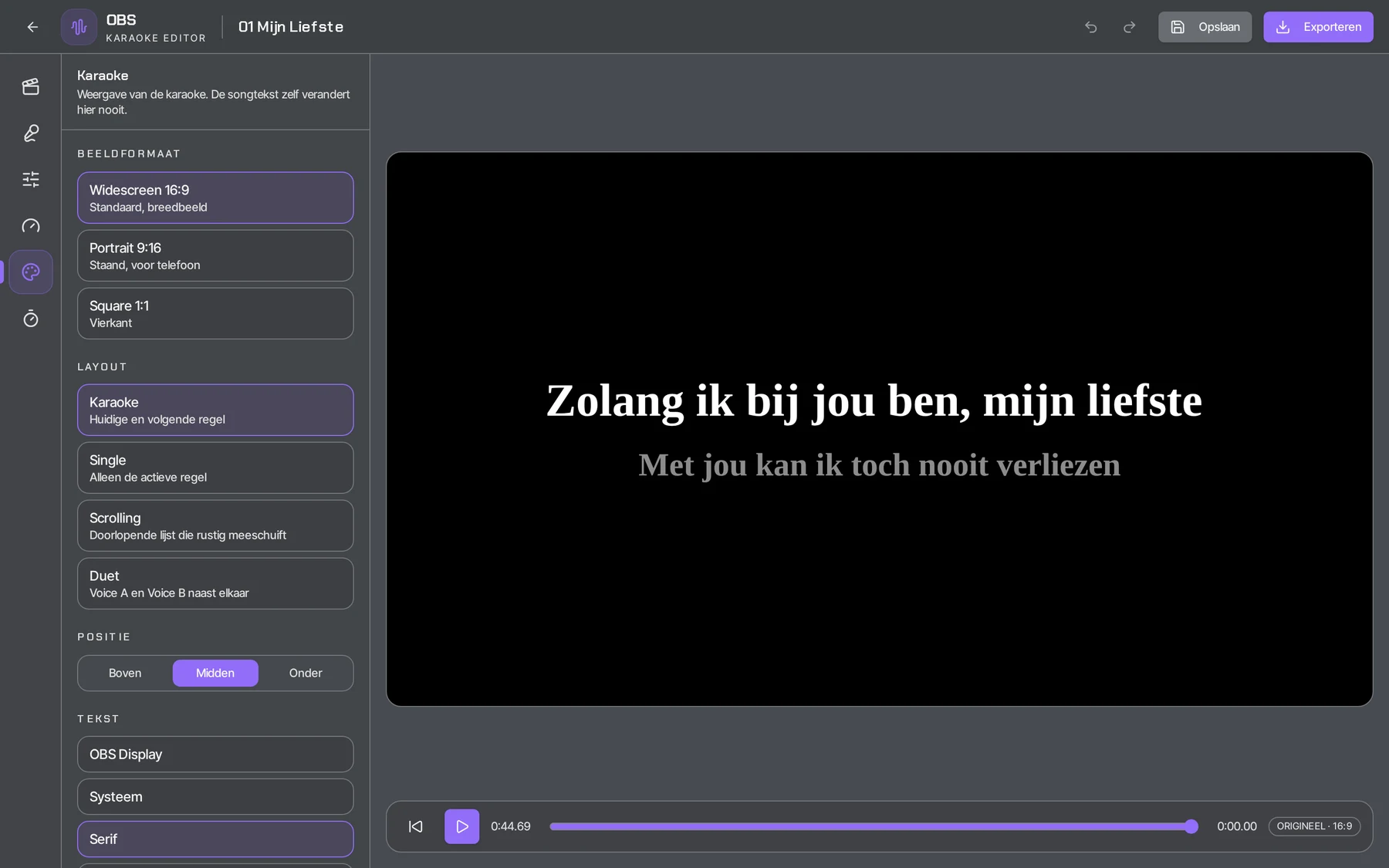
Choose the aspect ratio (16:9, 9:16 or 1:1), layout (Karaoke, Single, Scrolling or Duet), position and font. The active line lights up while the music plays; the next line is already waiting.
How people use it
Karaoke night or party
You turn your own favourite songs into a karaoke video with synced lyrics and play it on a big screen.
Singer with own repertoire
You make karaoke from your own music and keep the lyrics in view while rehearsing or performing.
Singing lessons
The lyrics follow the music exactly, so a student can read along and hear the timing.
Social media
You export vertically (9:16) for phones or widescreen (16:9) for a screen.
Frequently asked questions
How do I make karaoke from a song?
First separate the song in OBS. Then open it from My music in the Karaoke Editor, check the lyrics, set the timing and style, and export your karaoke.
Can I edit the lyrics and timing?
Yes. Every line is listed with its start time; you adjust the text and the timing of each line yourself.
Which aspect ratios and layouts are available?
Aspect ratios 16:9, 9:16 or 1:1 and the Karaoke, Single, Scrolling and Duet layouts, with your own position and font.
Can I make a karaoke video?
Yes. You export the karaoke with synced lyrics in 16:9, 9:16 or 1:1.
Can I sync the lyrics to the music?
Yes. OBS prepares the lyrics with timing; you adjust the text and start time of each line yourself.
The result
Karaoke with synced lyrics that fit your song exactly, in the format you choose. Karaoke & Lyrics is included in OBS Pro.
Open My music